SpeedBox for DJI Avinox — Install Videos & Guides (M2/M2S & M1)
This guide covers the installation and activation of both SpeedBox B.Tuning kits for DJI Avinox powered eBikes. Make sure you're following the section for your motor — the M2/M2S and M1 kits are wired differently and are not interchangeable.
Before you start (both kits):
- If you're fitting the kit to a brand-new eBike, ride at least 10km before activating the tuning.
- Download the SpeedBox Connect app before you start — you'll use it to control the tuning: Google Play | App Store
- We do not recommend updating your eBike's software once the kit is fitted. The B.Tuning chips can receive their own updates through the app instead.
SpeedBox 1.1 B.Tuning — Avinox M2 / M2S motors
Install Video
Wiring Diagram
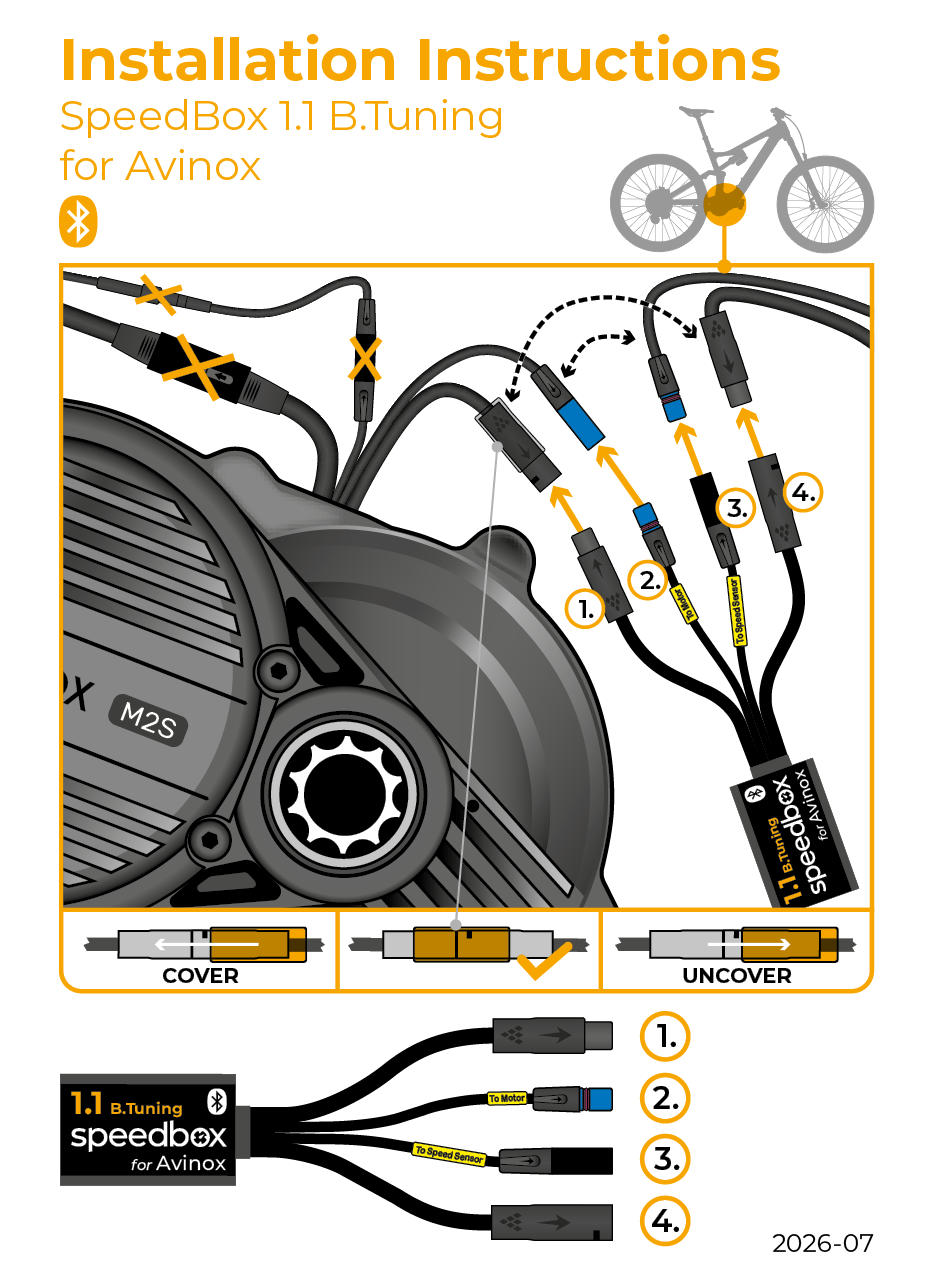
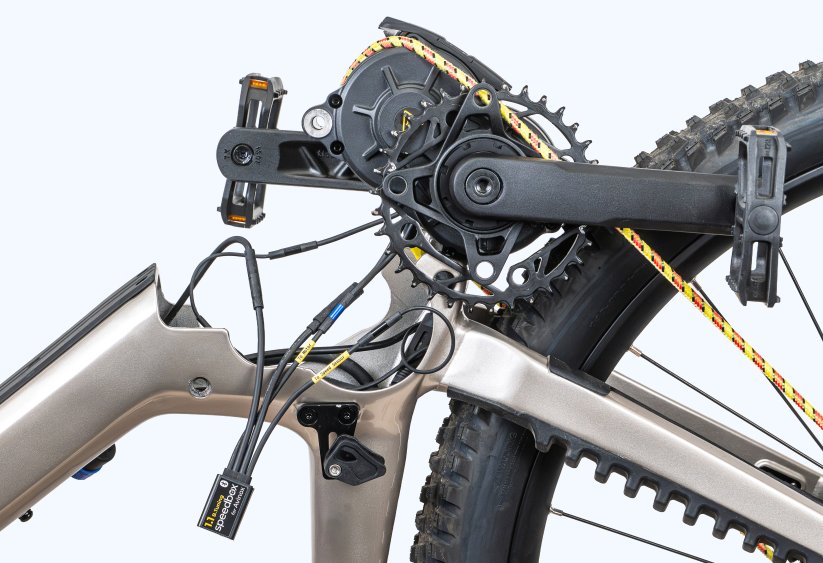
SpeedBox 1.0 B.Tuning — Avinox M1 motors (Amflow PL)
Install Video
Wiring Diagram
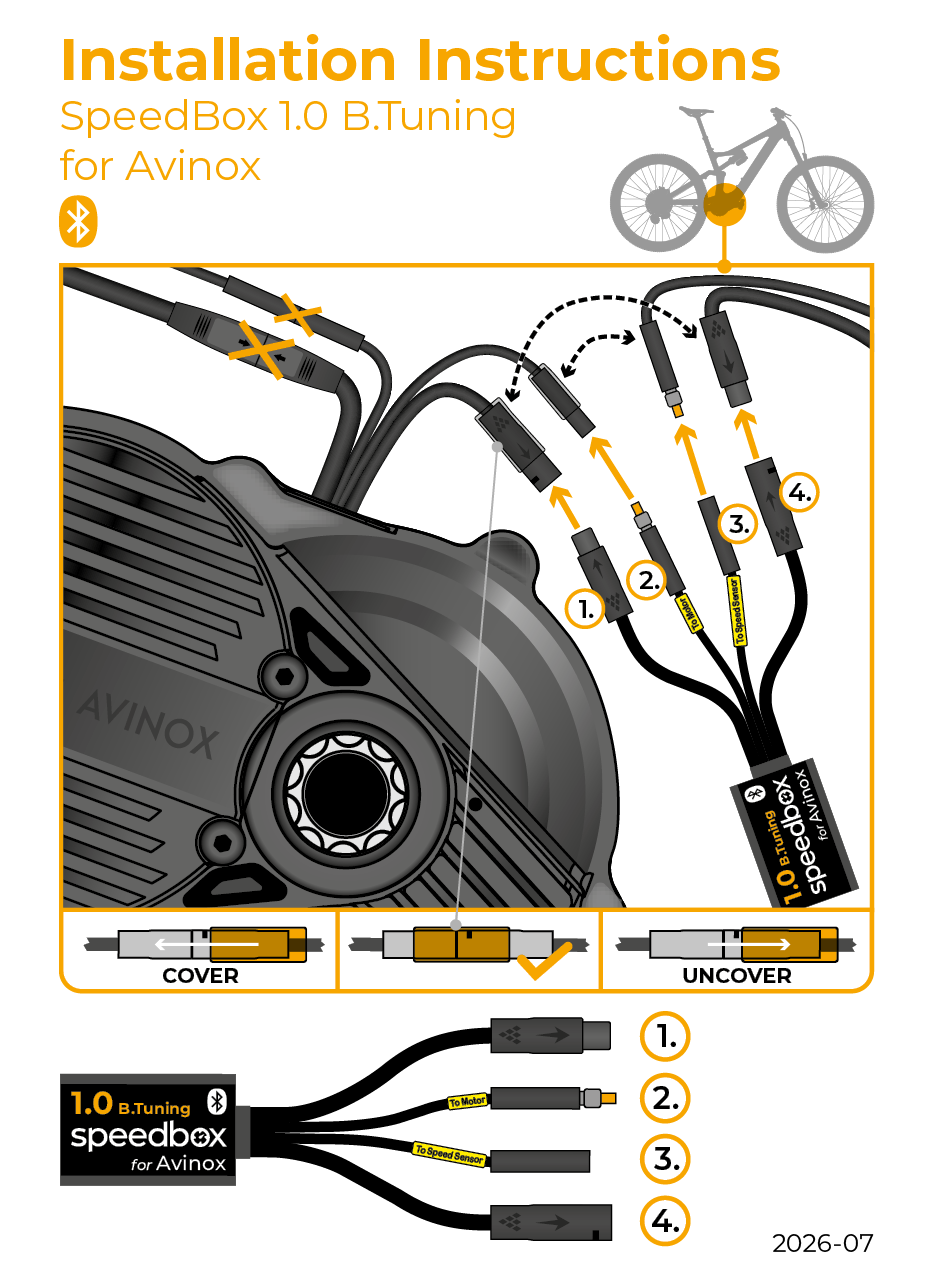
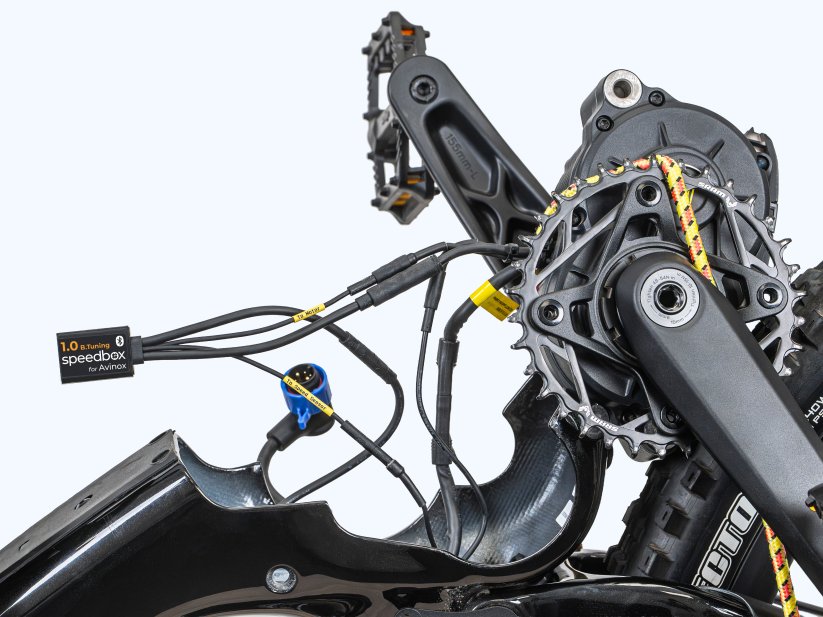
Activating & Deactivating the Tuning (both kits)
Once fitted, there are two ways to switch the tuning on and off:
- Via the SpeedBox Connect app (recommended) — you can also set a custom speed limit, see your real speed and ride data, and save ride records.
- Via the bike's buttons — press the sequence + − + −.
Note: your bike's own display will not show real speed once tuning is active — real values are shown in the SpeedBox Connect app.
The app also includes a Hide Tuning function — once activated, the tuning can no longer be switched on from the bike's buttons, only from the app.
Need help?
If you get stuck at any point during the install, contact us and our support team will help you out.