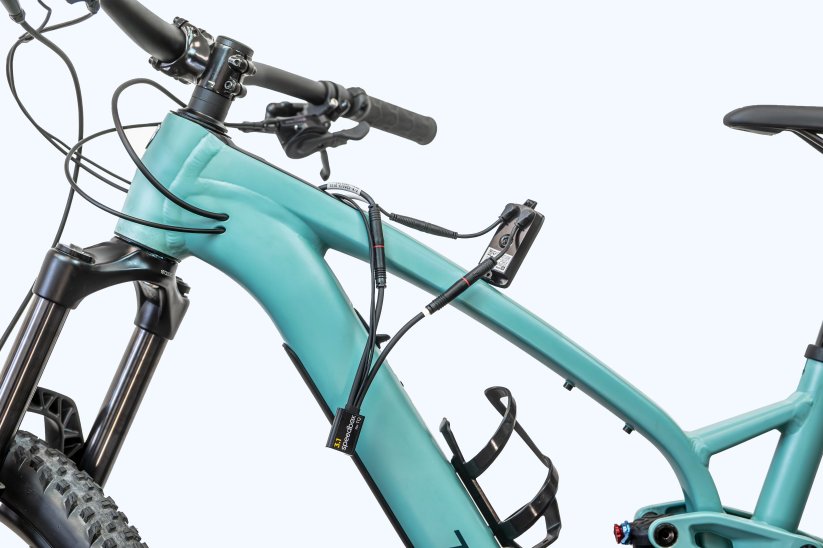
This guide covers the installation and activation of the SpeedBox 3.1 for TQ HPR motors, as found on the Trek Fuel EXe, Mondraker Neat, Scott Fastline and other TQ powered eBikes.
Before you start:
- If you're fitting the kit to a brand-new eBike, ride at least 10km before activating the tuning.
- To activate/deactivate the tuning, your bike needs the TQ HPR remote (with walk button) or +/- buttons to control the power level.
- We do not recommend updating your eBike's software once the kit is fitted.
Install Video
Wiring Diagrams
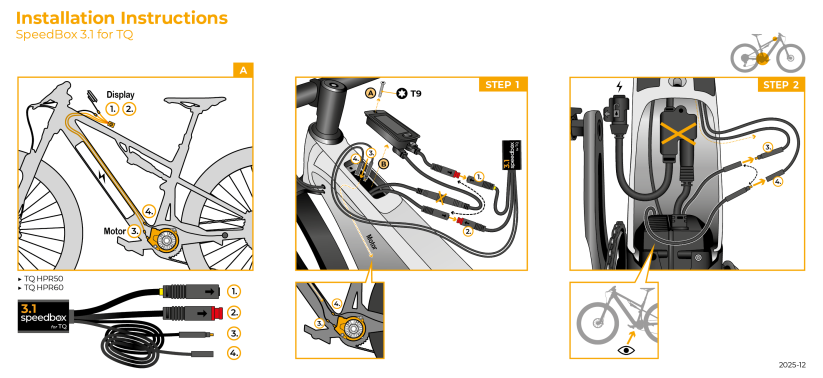
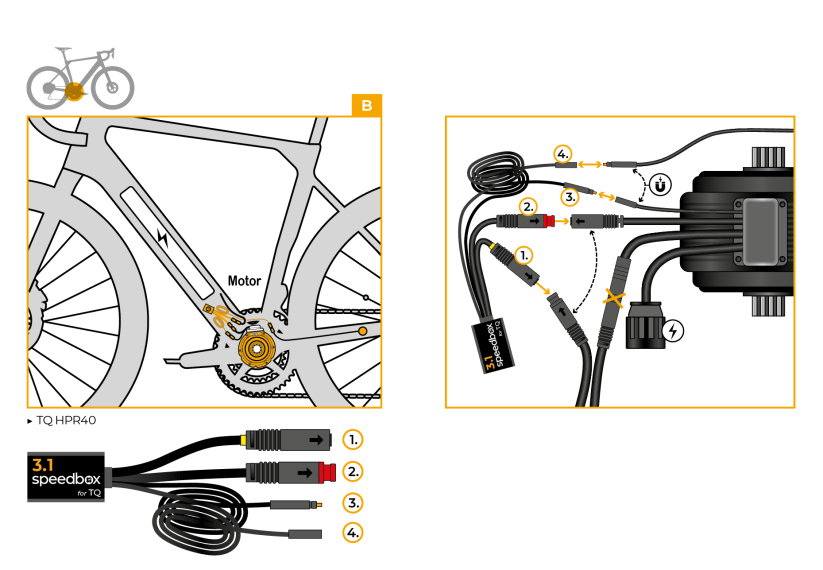
Connection overview:
HPR50 / HPR60 motors:
HPR40 motors:
Activating & Deactivating the Tuning
Briefly press the assistance mode buttons in this sequence: ↑↓↑↓ (or ↓↑↓↑). The display will briefly show 99 KMH — tuning is now active. Use the same sequence to deactivate; the display will show 25 KMH.
Alternatively, hold the WALK button and press ↑↓.
We recommend switching the tuning on or off before you start your ride, not during it.
Setting a Custom Maximum Speed
Switch modes in this sequence: ↓↓↓ then ↑↑↑ — the current limit appears on the display. Rotate the rear wheel to change it (each rotation adds 5 km/h), or use WALK + ↑↓. The last selected limit saves automatically after 5 seconds of inactivity.
Need help?
If you get stuck at any point during the install, contact us and our support team will help you out.